Build Tiled maps from a prompt
Tiled MCP Pro connects Claude Code, Cursor and other MCP clients to the Tiled Map Editor. The AI creates maps and layers, places tiles from your tilesets, paints terrain with matching edges and corners, adds objects and properties, renders the map to check its own work, and exports for your engine. 105 tools.
Buy once, free updates. Verified on Tiled 1.12.2, Windows 11.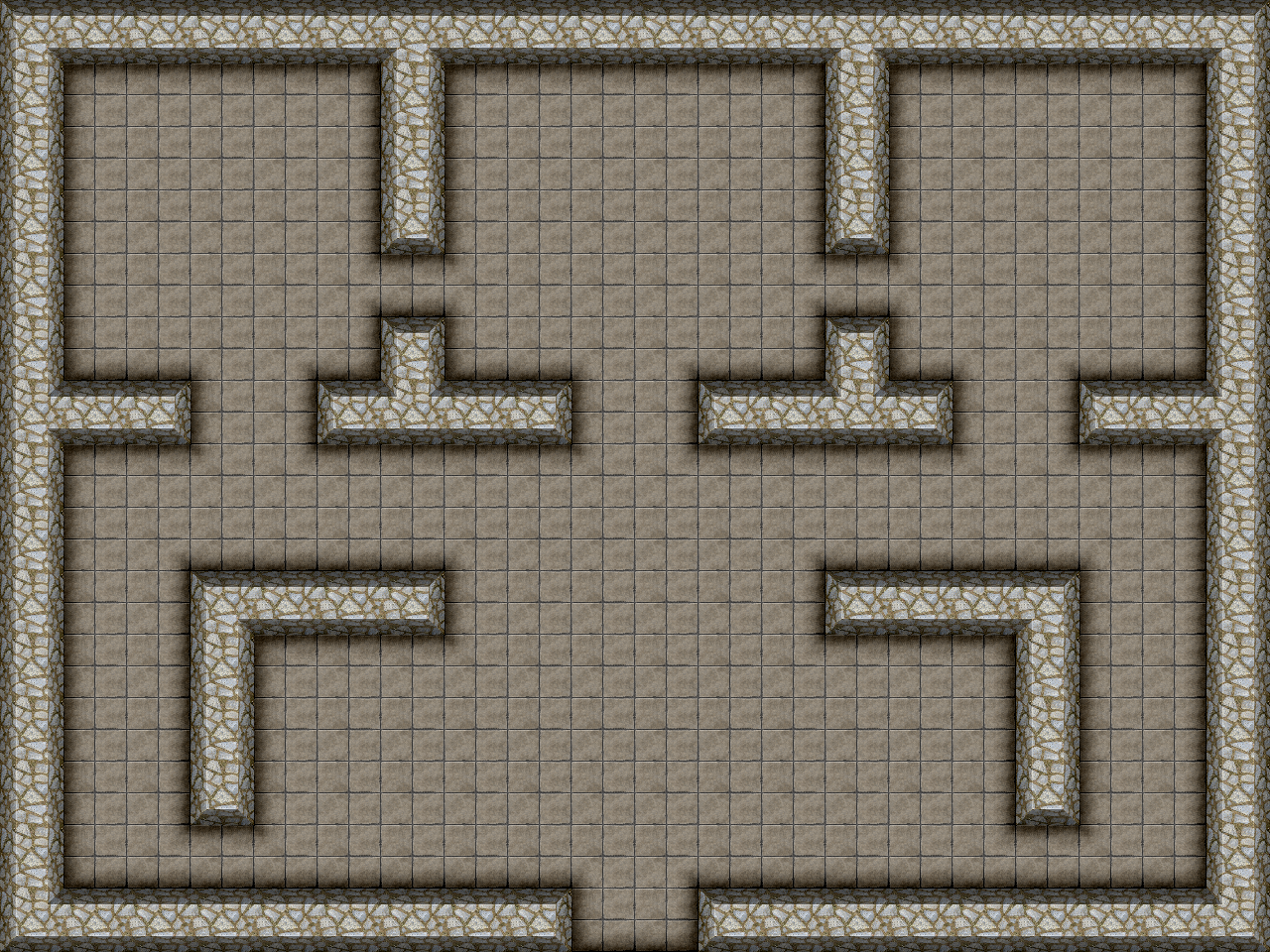
render_map_to_image. Tiles: Screaming Brain Studios (CC0).How it works
Two parts: a Node.js MCP server that your AI client starts, and a one-file extension inside Tiled that runs the commands with Tiled's own scripting API.
MCP client  --stdio-->  tiled-mcp-pro (Node.js MCP server)
                              |
                              |  loopback HTTP, ports 6520-6524 (long poll)
                              v
             Tiled extension (JavaScript, Tiled scripting API)
             -> long-polls the server, runs each command in the open editor
             -> maps, layers, tiles, tilesets, terrain, objects, export
No bridge process, no spawned helpers and no cloud service. The extension long-polls the server over loopback HTTP, so it uses almost no CPU while idle, and the server rejects browser-origin and non-loopback requests. Commands run in the open editor: you watch the map change as the AI works and can keep editing by hand. Several AI clients can share one Tiled.
What the AI can do in Tiled
Grouped by area. Tool names are the ones your AI client sees.
Maps
Create, open, save, close and resize maps; orthogonal, isometric, staggered and hexagonal orientation; tile size; switch between open maps; undo and redo.
create_map open_map save_map resize_map set_map_orientation get_map_info undo_mapLayers
Tile, object, image and group layers. Rename, reorder, remove, and set visibility, lock, opacity, offset, parallax factor and tint color.
get_layers add_tile_layer add_object_layer add_group_layer set_layer_property reorder_layerTiles
Place single tiles or hundreds in one batch, fill and clear rectangles, flood fill like the bucket tool, and list where tiles are used.
set_tile set_tiles_batch fill_rect flood_fill clear_rect get_used_tilesTilesets
Add tilesets from .tsx files or images, collection tilesets, tile classes and probabilities, and a tileset preview image with a tile-ID grid that the model can look at.
add_tileset get_tileset_info get_tileset_preview set_tile_class set_tile_probabilitySmart Tiles 1.1
Bitmask auto-tiling for tilesets without Wang sets: define rules once (blob47, simple16 or custom), then paint with terrain names. Rules are saved in the tileset.
define_autotile_rules place_terrain place_terrain_rect get_semantic_mapWang terrain placement 1.1
Paint with the terrain (Wang) sets already defined in your tileset: give a grid of terrain colors and the transition tiles are chosen for you, neighbours included.
place_wang_terrain get_wang_terrain_map get_terrain_setsTerrain set editing
Create terrain sets (corner, edge or mixed), add and remove terrain colors, and assign Wang IDs to tiles, so the AI can prepare a tileset for auto-tiling.
add_terrain_set add_terrain_color set_terrain_tile get_terrain_set_infoObjects
Rectangles, ellipses, points, polygons, polylines, text and tile objects, with class, rotation and visibility. Spawn points, triggers, doors, collision shapes.
add_object update_object get_objects remove_objectCustom properties
Read and write custom properties on the map, layers, objects and tiles, one at a time or in a batch.
set_property set_properties_batch get_properties set_map_propertySees its own map
render_map_to_image renders the whole map to a PNG with no dialog and, with return_image, hands the picture back to the model so it can check the result and fix it.
render_map_to_image get_tileset_preview get_semantic_mapExport
Write the map in any format your Tiled has: TMX, JSON, Lua, CSV, and plugin formats such as Godot 4 scenes. Export tilesets too.
get_export_formats export_map export_tileset export_map_to_jsonChecks, editor and project
Validate a map, get statistics, compare layers, run AutoMapping, read the selection, trigger Tiled actions, list worlds and project files.
validate_map get_map_statistics compare_layers auto_map trigger_action get_worldsAuto-tiling that gets edges right
Placing a wall or a shoreline tile by tile means picking the right edge, corner and inner-corner piece for every cell. Tiled MCP Pro does that choice in code, so the AI only says where each terrain goes.
Wang sets: use what the tileset already knows
Many tilesets ship with terrain (Wang) sets defined in Tiled. place_wang_terrain takes a grid of terrain colors, works out the corner or edge IDs for every cell and its neighbours, and places the matching transition tiles. No extra setup.
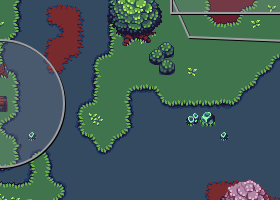 before
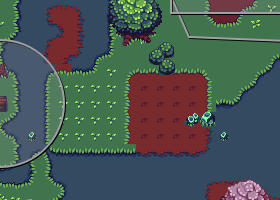 after
place_wang_terrain, before and after. On Tiled's bundled orthogonal-outside example the AI painted a grass bank and a dirt field into the lake; the shoreline tiles were chosen by the tool. Tileset: Michele "Buch" Bucelli, CC-BY 3.0.Smart Tiles: bitmask rules for any tileset
For tilesets without Wang sets, define_autotile_rules maps each neighbour pattern to a tile once. Each cell's neighbours add up to a bitmask; diagonals only count when both cardinal neighbours match, which folds 256 cases into the 47 of blob47. simple16 uses the four sides only.
128
1
16
8
2
64
4
32
Bitmask weights around a cell (N=1, E=2, S=4, W=8, NE=16, SE=32, SW=64, NW=128). Highlighted: N+E+NE = 19.
Read back as terrain
get_semantic_map and get_wang_terrain_map return a layer as terrain names instead of tile IDs, so the model can reason about the level layout:
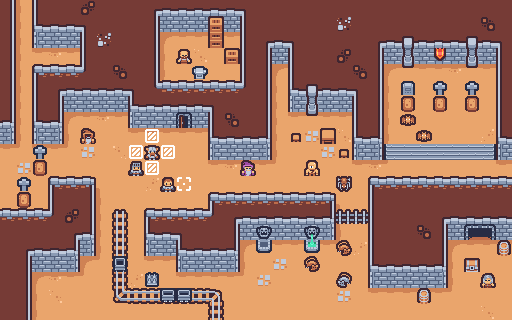
Maps from the tools
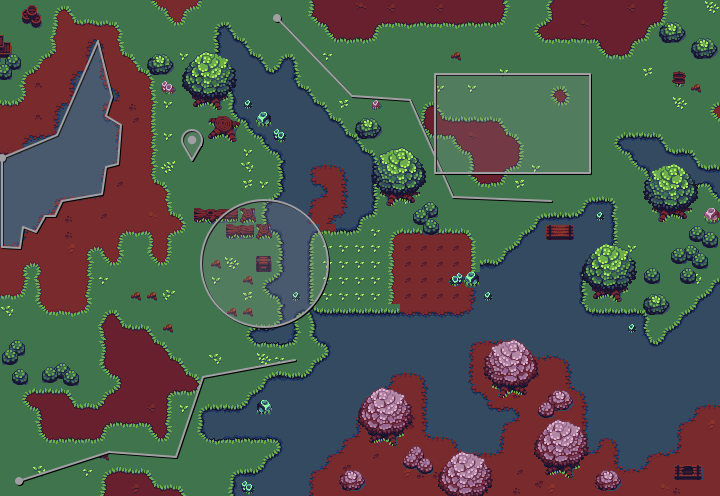
Real output of the extension, unretouched. Each caption says what the image is and who made the tiles.
Demo
Screen recordings of the AI building maps in Tiled.
Supported clients
Any MCP client that can start a local stdio server. Configs for the first three are in the setup guide.
claude mcp add tiled -- node <path>/server/build/index.js~/.cursor/mcp.json or a project .cursor/mcp.jsonclaude_desktop_config.json--lite for tool caps.Install outline
About ten minutes. Full instructions ship in the download; the setup guide walks through every step.
Install the Tiled extension and restart Tiled
powershell -ExecutionPolicy Bypass -File scripts\install-extension.ps1macOS / Linux (untested): bash scripts/install-extension.sh. Either script copies tiled_mcp_pro.js into a tiled-mcp-pro folder in Tiled's extensions folder.
Install the MCP server (Node.js 18+)
cd server
npm ci --omit=dev
Register the server with your AI client
claude mcp add tiled -- node C:/tools/tiled-mcp-pro/server/build/index.jsOpen a map in Tiled and ask
Try "Call get_editor_info, then create a 30x20 map with 16 px tiles."
Requirements: Tiled Map Editor 1.11 or later (verified on 1.12.2, Windows 11; macOS and Linux untested) and Node.js 18 or later.
What to expect in 1.1.0
- Verified live on Tiled 1.12.2 on Windows 11 with all 105 tools. Tiled 1.11 or later is required. macOS and Linux are untested; there, a click in Tiled or MCP: Reconnect may be needed if Tiled starts before the AI client.
- Tiled must be running with the map open; commands act on the active map.
- If a tileset lacks a transition tile, Wang placement uses the closest match and lists those cells as approximate or unmatched in its result.
- Actions that would open a modal dialog are refused by default, because a dialog blocks Tiled until someone closes it; the dedicated tools (save_map with file_path, export_map, render_map_to_image) work without one.
- auto_map runs the AutoMapping rules you already set up in Tiled; it does not write rules.
- All later updates are free for buyers.
FAQ
What is Tiled MCP Pro?
Does the AI draw pictures, or edit real Tiled maps?
Which Tiled versions and operating systems are supported?
Which AI clients work?
Will it work with my tileset?
Can the AI see the map it made?
Is it safe to run?
Tiled is free. Why is this paid?
How much is it, and is there a subscription?
Guides
Step-by-step articles. All guides
- MCP server with 105 tools in 14 categories
- Lite mode with 63 core tools for clients with tool caps
- Tiled extension (one JavaScript file)
- Smart Tiles bitmask auto-tiling and Wang terrain placement
- Setup instructions and example prompts
- Free updates; license terms are in the download
More MCP Pro tools
Same idea, other apps. Together they cover a 2D pipeline: sprites in Aseprite, maps in Tiled, the game in Godot.